The previous five pieces were all code. C firmware, Dart servers, Flutter clients. A compile ran every time.
This piece has no compile. We are building what the owner of an unmanned store sees, and the source is four JSON files.
unmanned_store.mbd/
  manifest.json            who this is
  ui/app.json              routes
  ui/pages/main.json       one screen
  ui/pages/restock.json    another screen
And in the second half of this piece we actually run the thing where editing that JSON changes the app. No build runs.
The result first
The owner's first screen. Today's takings and stock, and how many things need topping up.
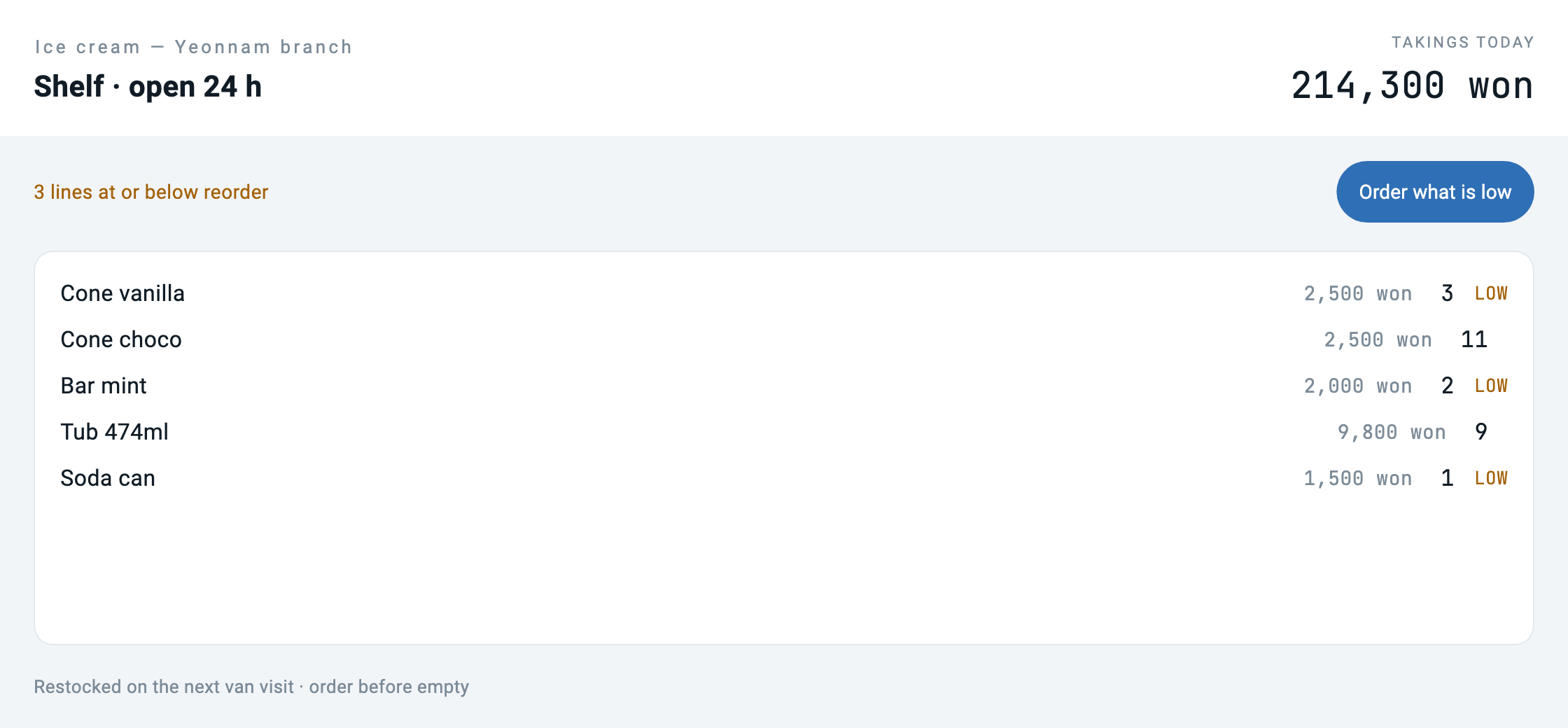
Press "What needs a visit" and it goes to another screen in the same folder.
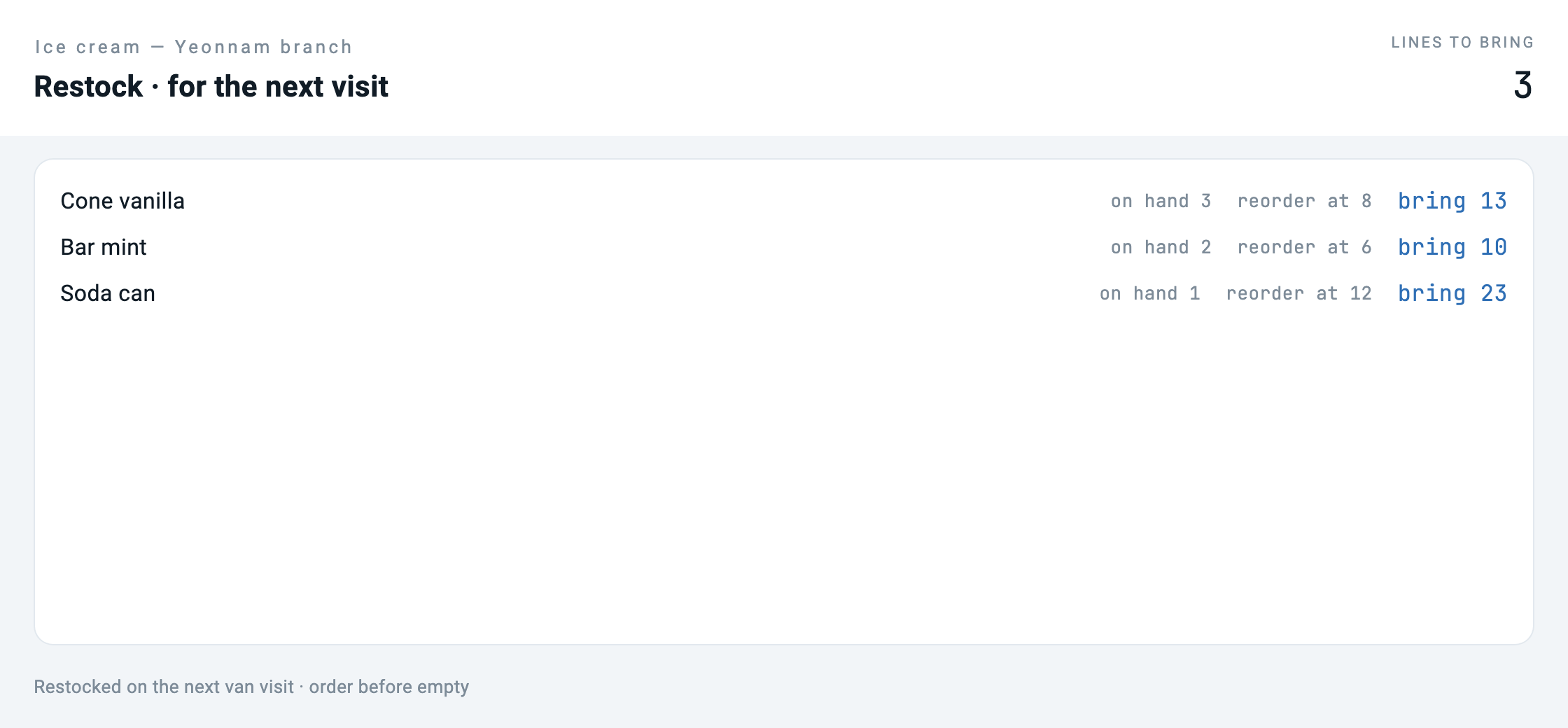
bring NPress "Order the lot" and the list empties.
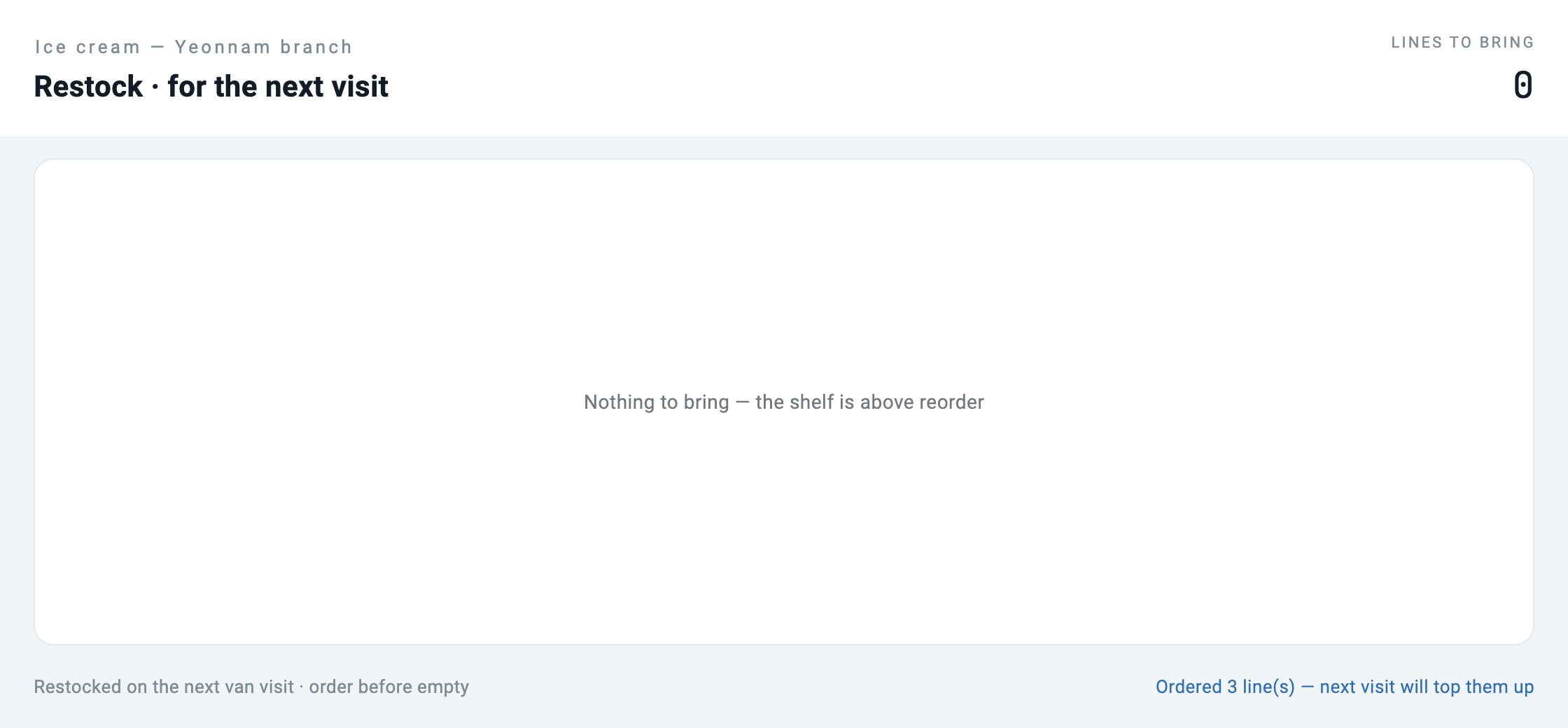
Now we edit the JSON and run it again. The compiler did not execute.
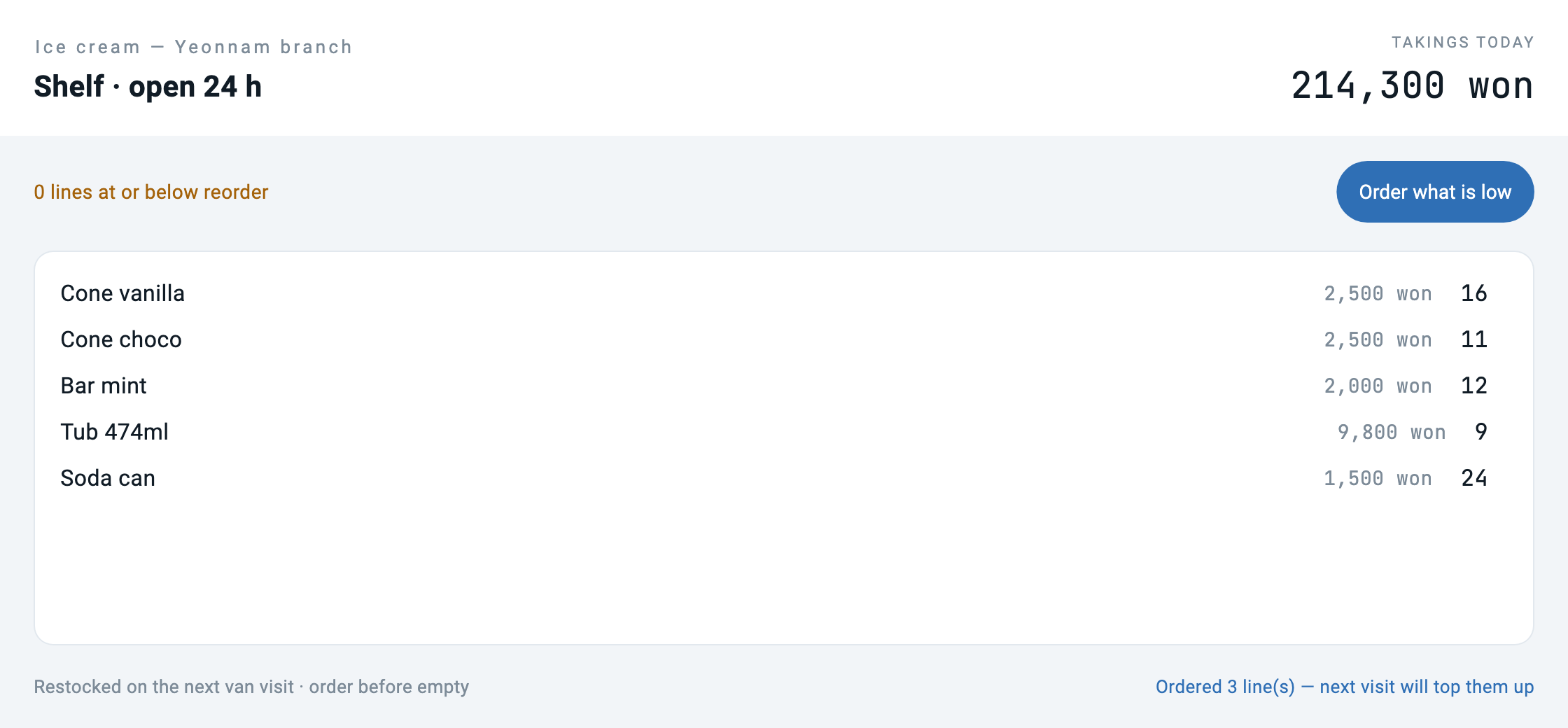
Look at that last screen closely. The labels became a laundrette but the items are still ice cream. This half-changed screen is the most important picture in this piece. We come back to it.
What a bundle is
manifest.json says who this app is. Not code — identity.
{
  "schemaVersion": "1.0.0",
  "manifest": {
    "id": "com.makemind.sample.unmanned_store",
    "name": "Unmanned Store",
    "type": "application",
    "entryPoint": "ui.app",
    "description": "What the owner of an unmanned store sees: stock, takings and what needs a visit. No code, only declarations.",
    "category": "business",
    "tags": ["retail", "unmanned", "sample"]
  }
}
ui/app.json is the map of screens.
{
  "type": "application",
  "title": "Unmanned Store",
  "initialRoute": "/",
  "routes": {
    "/": "ui://pages/main",
    "/restock": "ui://pages/restock"
  }
}
And each page is a screen. What a button does is written here too — not as a function name but as a tool name.
{
  "type": "button",
  "label": "What needs a visit",
  "variant": "elevated",
  "onTap": { "type": "navigation", "action": "push", "route": "/restock" }
},
{
  "type": "button",
  "label": "Refresh",
  "variant": "outlined",
  "onTap": { "type": "tool", "tool": "store.today", "params": {} }
}
The loader is forty lines
That is all the code that reads a bundle. It is short because the format does not ask for more — the runtime already knows how to draw a screen definition, and a bundle is screen definitions with a table of contents.
factory Bundle.load(String path) {
  final root = Directory(path);
  if (!root.existsSync()) throw ArgumentError('no bundle at $path');
  final manifest = _readJson(File('${root.path}/manifest.json'));
  final app = _readJson(File('${root.path}/ui/app.json'));

  final pages = <String, Map<String, dynamic>>{};
  final pageDir = Directory('${root.path}/ui/pages');
  if (pageDir.existsSync()) {
    for (final f in pageDir.listSync().whereType<File>()) {
      if (!f.path.endsWith('.json')) continue;
      final name = f.uri.pathSegments.last.replaceAll('.json', '');
      pages['ui://pages/$name'] = _readJson(f);
    }
  }
  return Bundle._(root, manifest, app, pages);
}
One thing is done deliberately where routes resolve. A route pointing at a missing page throws.
/// The screen behind a route. Throws rather than returning null: a route in
/// `app.json` that points at a page nobody wrote is a broken bundle, and
/// finding that out at load time beats finding it out when a user taps.
Map<String, dynamic> screenFor(String route) {
  final uri = routes[route];
  if (uri == null) throw ArgumentError('no route "$route" in ${app['title']}');
  final page = _pages[uri];
  if (page == null) throw StateError('route "$route" points at $uri, missing');
  return page;
}
The verification script looks at the same thing. It confirms every route resolves before the bundle ships.
# If there is a build step this article's argument collapses, so start by
# checking there is nothing to build
BUILDISH=$(find unmanned_store.mbd -type f ! -name '*.json' | wc -l | tr -d ' ')
[ "$BUILDISH" -eq 0 ] || { echo "bundle contains non-json files"; exit 1; }
Move screens and you have to refill the state
On the first run the second screen was empty. The log clearly said low=3 and the capture said "Nothing is low. No trip needed today."
The cause was inside the format. Each page carries its own initialState.
"initialState": { "low": [], "lowCount": 0, "notice": "" }Change route and the new screen starts from its own initial values. Data the previous screen received does not follow. In a real app the page lifecycle fills it on entry; here the host fills it explicitly.
await go('/restock');
// The page declares its own initialState, so on arrival it is empty until
// somebody fills it. In a shipped app the page lifecycle would do this on
// ready; here the host does it explicitly. Skip it and you get a screenshot
// of an empty list next to a log saying three are short.
await callTool('store.today');
await shoot('02_restock');
It went into the verification too. If the log and the picture disagree, it fails.
# the restock screen has to be filled before it is photographed — otherwise
# the log says three are short while the capture shows an empty list
grep -A1 'route "/restock"' captures/run.log | grep -q 'low=3' \
  || { echo "the restock screen was captured without its data"; exit 1; }
This content requires Developer or above
Sign in and upgrade your plan to continue reading.
View Plans